Once I Join:
Back to Help index
How do I search for other members?
- Log into FriendFinder-x.
- Enter your username and password.
- Click the "Search" link in the navigation bar.
 - You can search for a member’s handle (or "username"), or you can use the form available to search by criteria you selected.
 - Click the "Search" button.
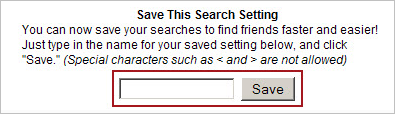
 - If you would like to save the search setting enter a title for the search and click "Save" (Premium members only)
I'm not getting my password or other emails from FriendFinder-x!
How do I contact your Customer Service Department?
How do I submit a suggestion for improvement?
|
|
 Live Help